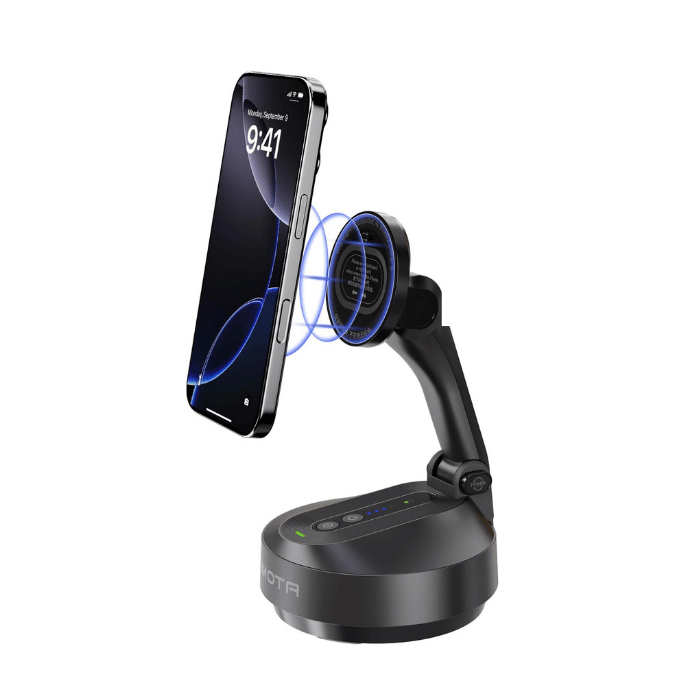
Comitok Auto-Tracking Stand Pro with DockKit
Apple-certified DockKit mount that pairs instantly and lets smartPTZ drive pan, tilt, and framing.
View Comitok Stand ProEverything in smartPTZ is free with BASIC: live HD or 4K frame sync streaming, simultaneous recording, AI tracking, and full remote control from any browser or Bitfocus Companion — every phone gets its own PTZ-ID the first time the app opens. BASIC streams and recordings carry a small “Powered by smartPTZ” logo in the top-right corner; PRO removes it. Requires an iPhone 14 or later with iOS 18 or later.
| Feature | Basic Free | PRO from $9.99/mo |
|---|---|---|
| SRT or RTMP Streaming [HD and 4K] | ✅ | ✅ |
| Local Recording [HD and 4K] | ✅ | ✅ |
| Optical Lens Exposure Control | ✅ | ✅ |
| White Balance (temp and tint) Control | ✅ | ✅ |
| Web Console (up to 4 cameras, Multi-View) and Bitfocus Companion Control | ✅ | ✅ |
| Remote PTZ Camera Controls * | ✅ | ✅ |
| Remote Control of Color Settings | ✅ | ✅ |
| Remote Control Stream and Record Settings | ✅ | ✅ |
| 6 Manual PTZ Presets * | ✅ | ✅ |
| AI Tracking: Frame *, Follow and Game (beta) | ✅ | ✅ |
| Scoreboard Mode (live score overlay for your switcher) | ✅ | ✅ |
| No “Powered by smartPTZ” logo on streams and recordings | x | ✅ |
These three iPhone camera mounts work seamlessly with the smartPTZ app. Tap the phone to the mount to sync the devices (NFC) and you’ll have secure, full remote control (from the web console at smartptz.com/track) of both the camera and the mount — full PTZ, without extra rigging.
Apple-certified DockKit mount that pairs instantly and lets smartPTZ drive pan, tilt, and framing.
View Comitok Stand Pro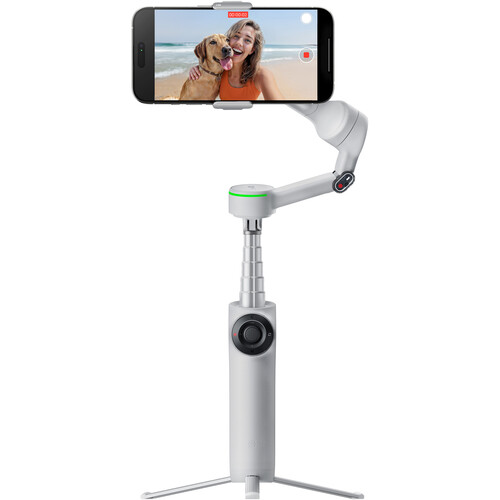
A compact, travel-friendly gimbal that locks onto your subject and keeps your smartPTZ shot rock steady.
View Insta360 Flow Pro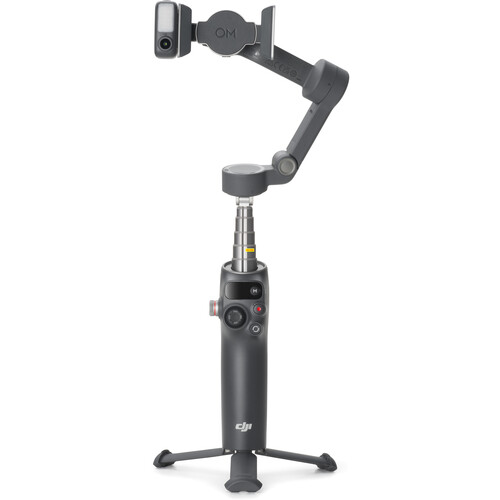
DJI’s latest phone gimbal, great for smooth handheld moves and simple two-camera smartPTZ setups.
View DJI Osmo Mobile 8From the settings page of the smartPTZ app, select SRT or RTMP, enter the server URL and port or stream key, and choose a resolution and bitrate from 720p up to 4K. Tested thoroughly with vMix. These settings can also be changed from the web console.
From the settings page, choose a recording size of 720p, 1080p or 4K at 30 fps. Recordings go to the iPhone Photos Library, space permitting. The size can also be changed, and recording started and stopped, from the web console.
From the home screen of the smartPTZ app, users can control the camera's exposure. Exposure can be stepped up and down from the default “0” by +/-2.
From the home screen, users can control white balance (manual/auto) and tint. White balance ranges from 3000–6000K in increments of 100. Tint adjusts +/-150.
Control the camera, tracking, color, encoder, streaming and recording for up to four cameras from the web console at smartptz.com/track, with every angle at once in Multi-View, or through the smartPTZ API, fully compatible with Bitfocus Companion and the Elgato Stream Deck.
Once connected to a mount, the smartPTZ camera can be panned, tilted and zoomed from the web console or the API. Movement sensitivity can also be adjusted.
Exposure, white balance and tint can be adjusted from the web console while the camera is live, so an operator can match cameras without touching the phone.
Start and stop the stream and the recording, and change the protocol, server, resolution and bitrate, from the web console or the API. In the console, stream and record settings each have their own Update, and the protocol locks while you’re streaming or recording, so nobody switches it mid-show.
Once connected to a mount, PTZ presets can be defined and recalled via the web console or the API.
Three tracking modes, all free. Frame keeps a presenter framed at a seat or lectern using a DockKit mount and auto-zoom, and waits for the next person when they leave. Follow locks on to one person (the one you pick, or whoever is nearest the centre) and knows them by how they look and by their shirt number, as a virtual PTZ on the ultra-wide lens, on a plain tripod. Game (beta) follows the play on a court or field from one iPhone on a tripod, with smooth, eased camera moves that stay on the play: 4K ultra-wide in, a 1080p virtual camera out, for Basketball 5v5, Soccer 7v7 and Soccer 11v11. Settings mirror between the phone and the web console.
See the shot and start Record, Stream or Tracking from your wrist. The smartPTZ watch app talks straight to the iPhone it’s paired with — no internet needed — and shows the camera’s battery alongside the live preview.